What's new in the update
Version: 1.1.7
Release date: : 02.02.2026
1. Watermark on TradingView
A watermark with the ticker has appeared on the TV-chart.
If you often share screenshots, you no longer need to manually label the trading pair - the ticker is already visible on the image. 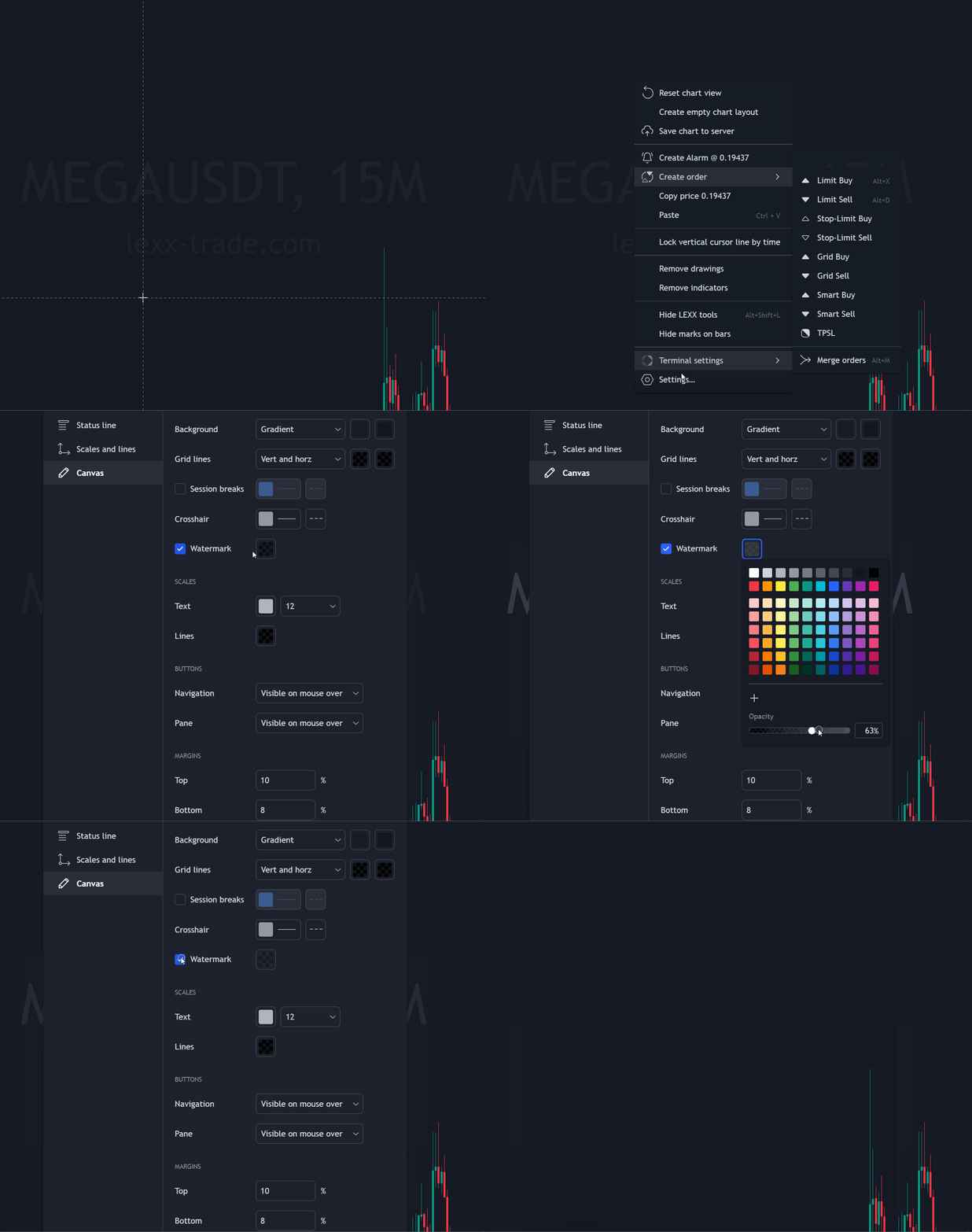
- Enabled by default
- Opacity can be adjusted in the TV-chart menu
- If needed, it can be completely disabled
2. Automatic asset selections
This option is available only for individual and business plans.
These are ready-made coin selections that are generated and updated automatically by categories. No need to manually build thematic watchlists - you select a group and instantly see the market slice you need.
- Universes (by volumes)
A selection of market leaders by trading volume.
Top-20 / Top-50 / Top-100
To use it, you need to configure it once: open the required Top -> set the filter -> choose the exchange and the quote market.
- Sectors (by market sectors )
Grouping by directions: DeFi, AI, DEX, Meme, Gaming, etc.
In a couple of clicks you can see which sector is stronger or weaker today.
- Ecosystem (by ecosystems )
Coins grouped by ecosystems: Bitcoin, Ethereum, Solana, BNB, etc.
Useful if you trade "by networks" and want to quickly understand where there is movement right now.
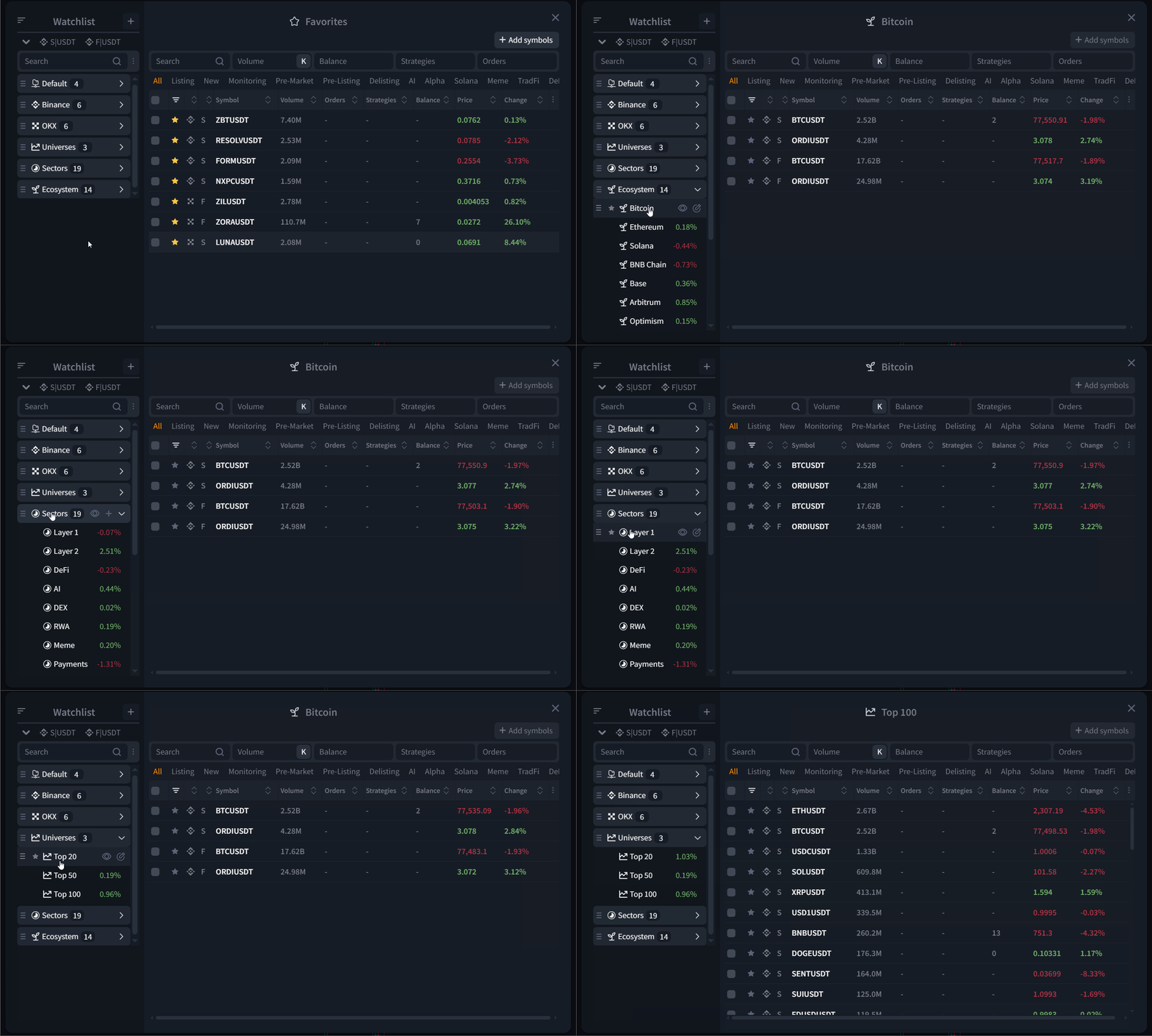
Additionally
These lists are partially editable. You can partially fine-tune:
- Exchange filter
- Select market: USDT/USDC/BTC
- The percent/value on the right of the lists is the average price change for the category.
- By default, lists are displayed in grouped format
- Via the "three dots" you can change the display and sorting (for example, disable grouping and sort by volume or by volume change)
3. Color tags for strategies
For PLUS users and the higher tier of individual plans, color tags for strategies have been added.
Why it's needed
- Quick filtering of strategies by risk/importance
- Quick actions on a group (for example, urgently pause all high risk strategies)
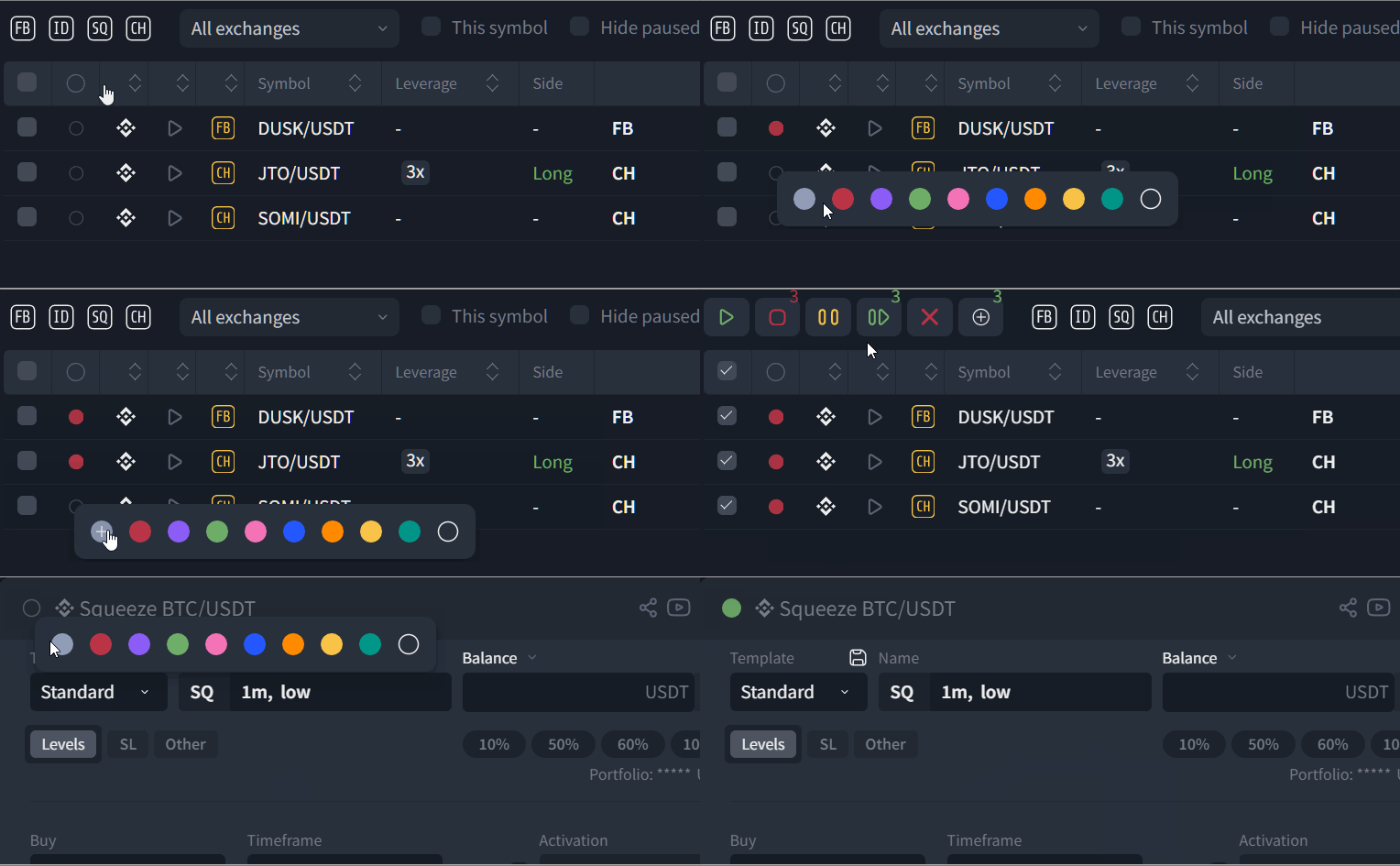
How it works
- The tag column is located in the Strategies block, on the left
- A tag can be assigned both to a running strategy and at launch.
- You can change a tag for a group of strategies in bulk: select strategies -> "add tag" -> choose a new color.
Reminder
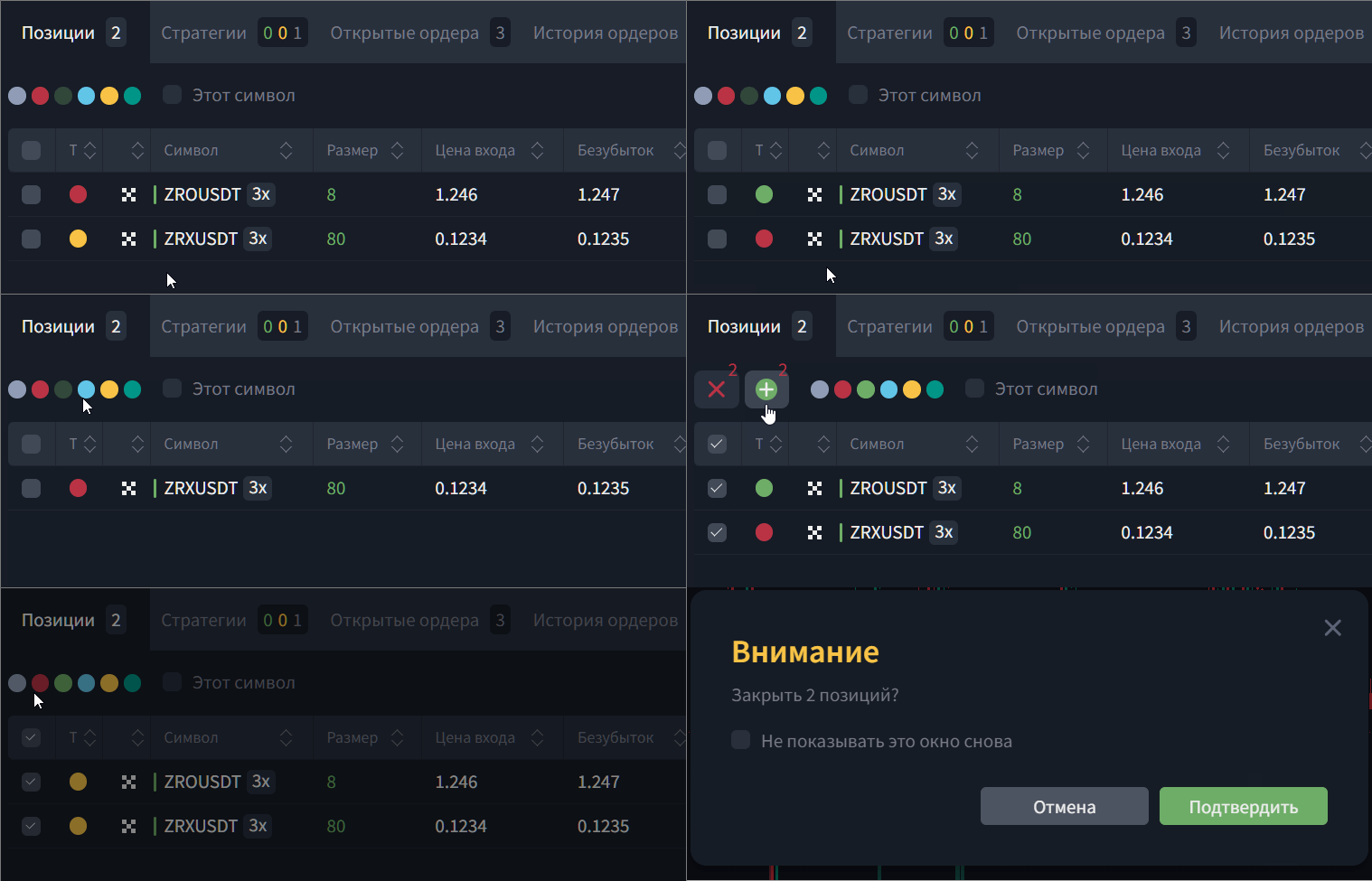
Similar tags already exist for positions, but they are available only in individual plans (Custom, Business).
Positions can be filtered and closed in groups by tags.
4. New auto-tags in the "Pairs list" block
In the pairs list block, auto-tags have been expanded with two more categories:
- Pre-listing
- Pre-market
- TrаdFi
- Alpha
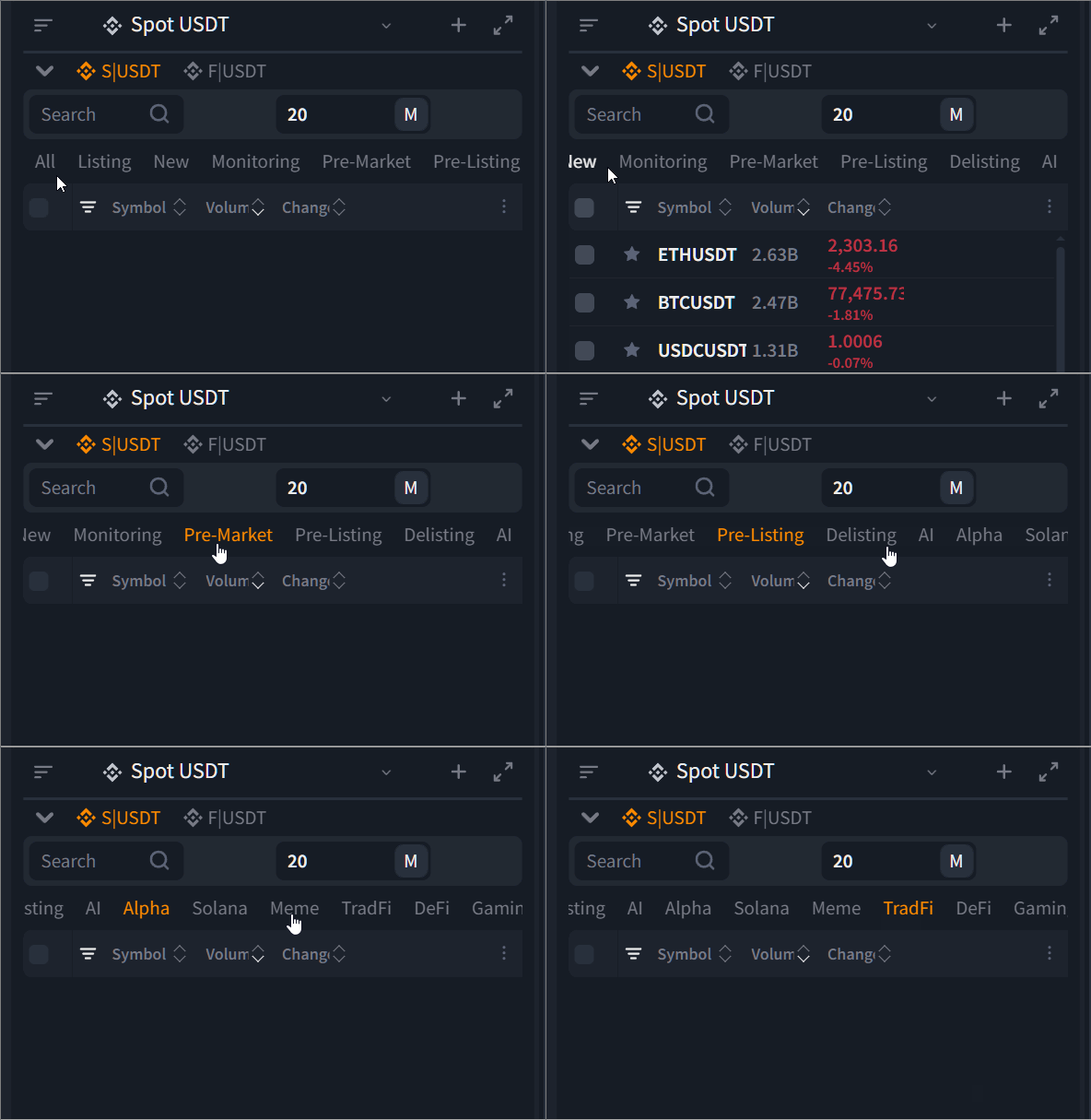
They are updated automatically as well, based on exchange data.
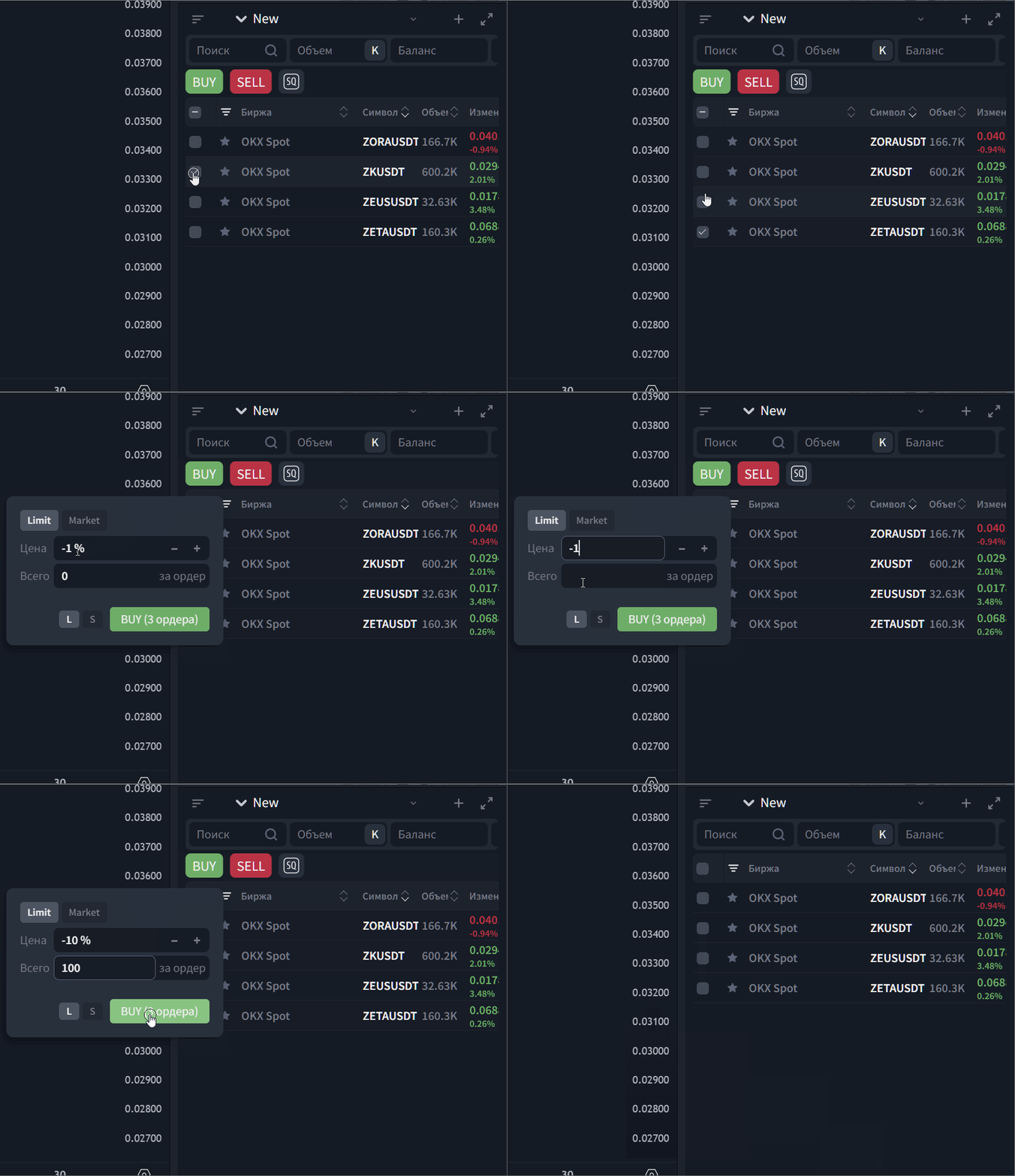
5. Automatic display of new new options when upgrading to individual plans (using the manual trading module as an example)
When moving from Lite / Base / Plus to individual plans and enabling the manual trading module, previously unavailable options automatically appear in the platform interface.
For example:
1) Bulk operations
Bulk order creation using watchlists
Bulk order cancellation
Bulk actions for open positions (fast exposure reduction/closing)
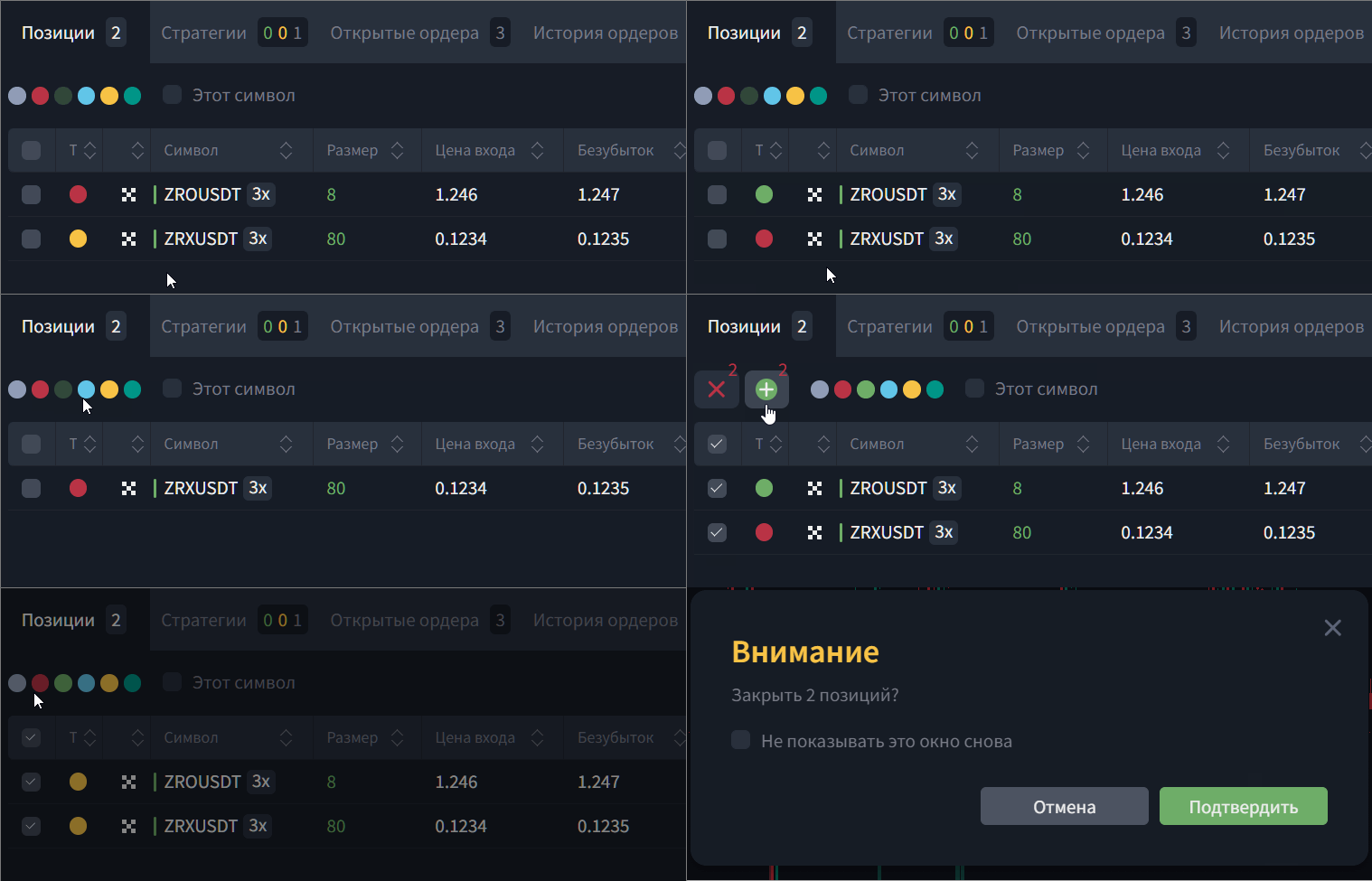
2) Position management with tags
Assign tags to positions
Filter positions by tags
Group positions by tags in separate windows/groups
(useful for separating logic like: “portfolio”, “scalp”, “news”, “high risk”, etc.)
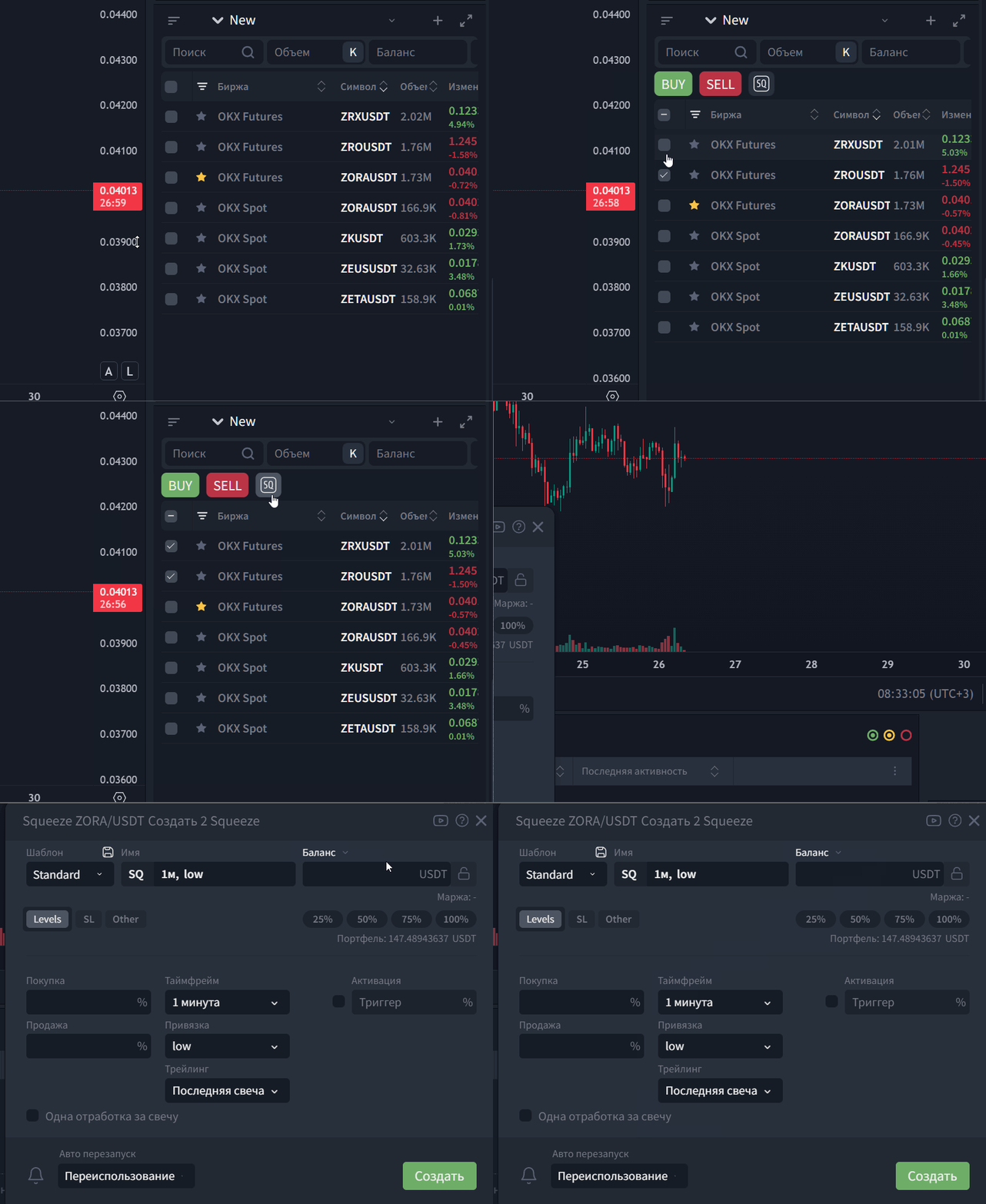
3) Integration with strategies (optional)
Mass creation of Squeeze strategies
Use asset lists as a base for semi-automated workflows
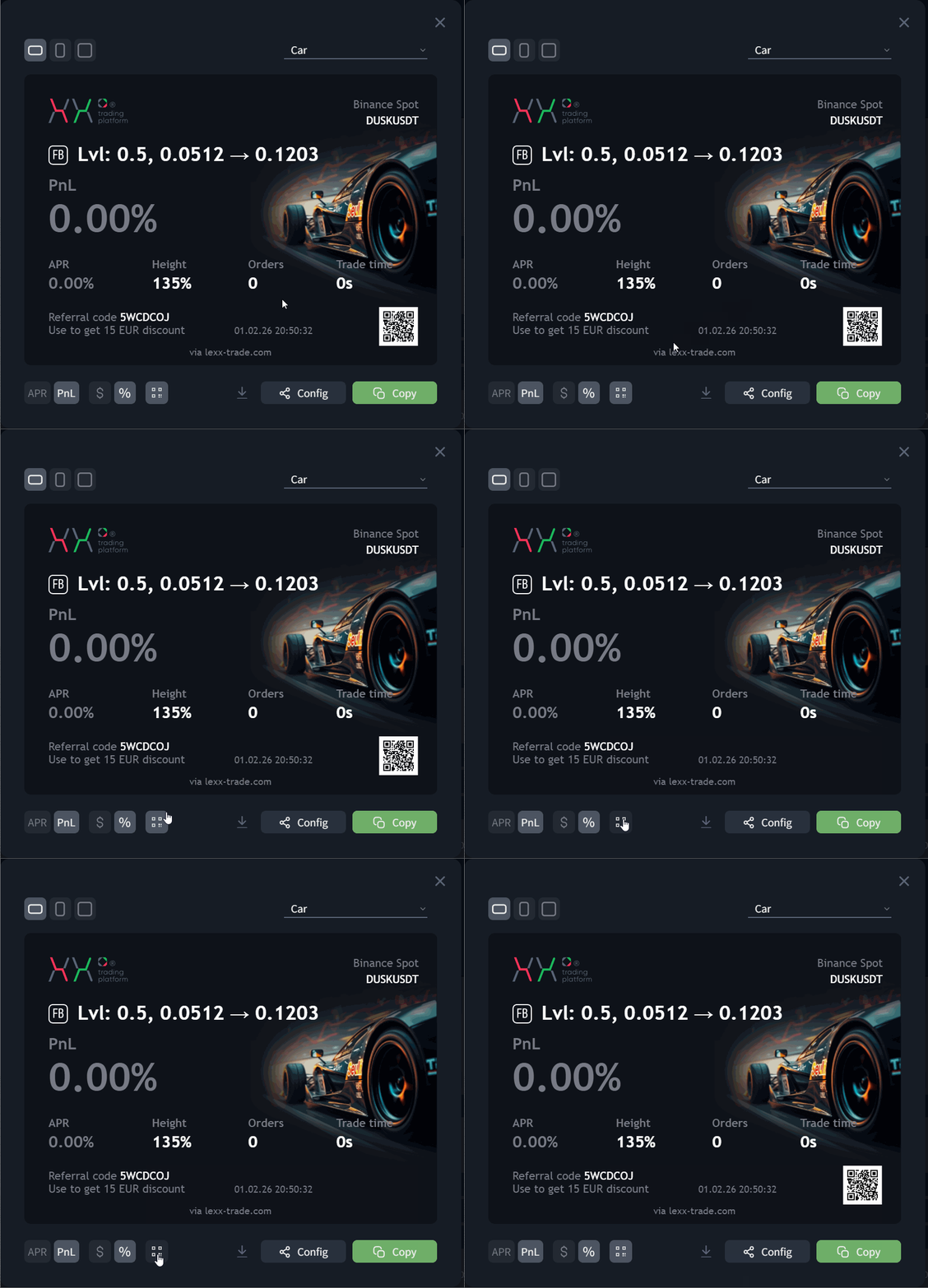
6. Hide/show QR code when sharing strategy PNL
When sharing strategies, an option has been added to hide or show the QR code.
This is useful if a platform or service restricts publishing images containing QR codes.
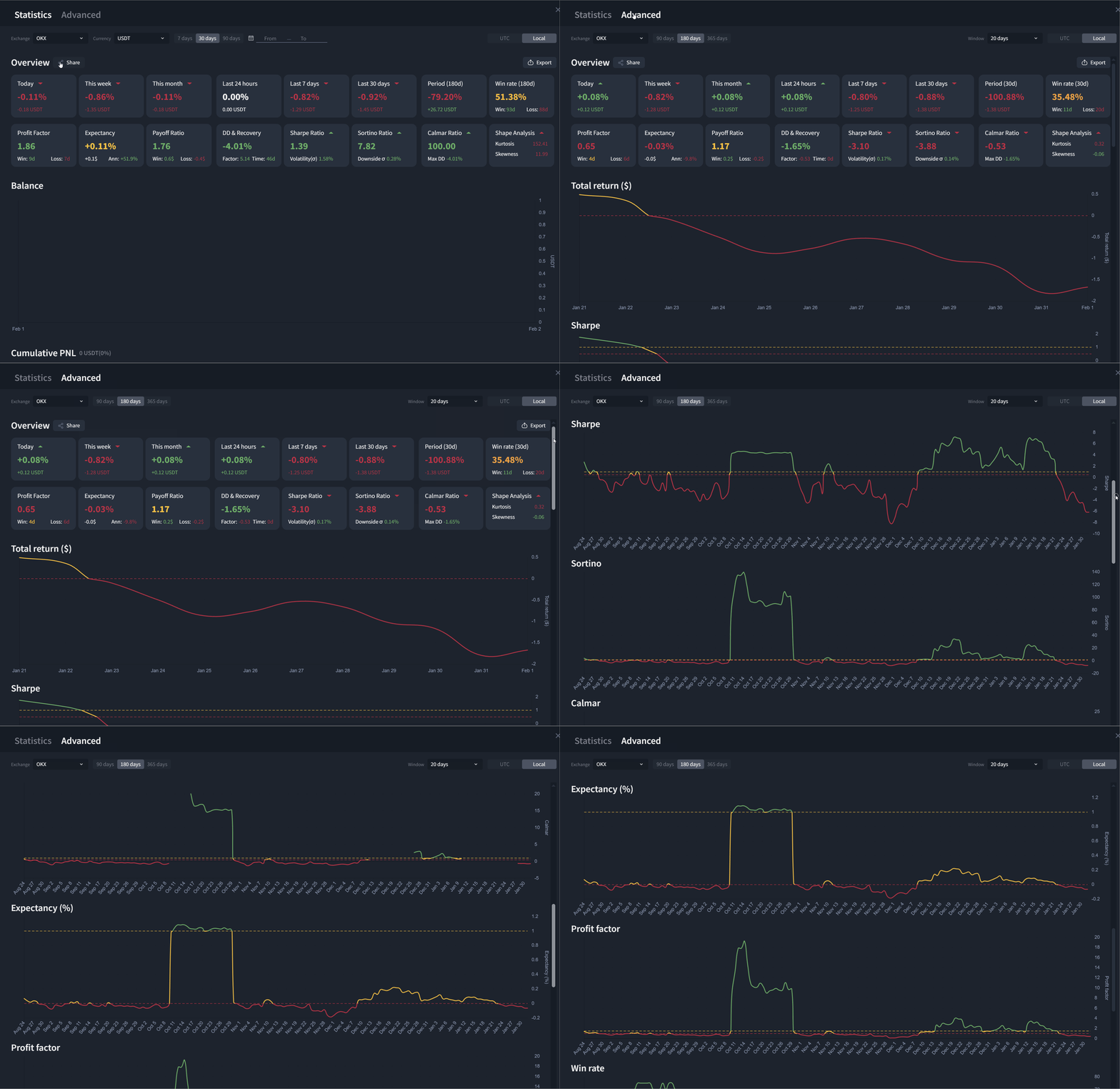
7. Extended statistics
Extended statistics have been added for users of individual licenses.
This is a more convenient and visual graphical representation of statistical data in an international format.
Other improvements and fixes
- The dropdown block settings menu has been optimized for mobile devices or small screens (scroll added)
- Fixed an issue where incorrect settings were shown when opening a running strategy config
- Changed the logic of displaying license limitations for strategies. If a strategy was launched on a higher plan or with an add-on, opening settings now shows the active config without a limitation popup. At the same time, restarting the strategy is unavailable. After stopping, the strategy resets its configuration to the parameters of the current plan.
- Adjusted option descriptions in the billing menu
- Optimization of balance handling on OKX
- Optimized handling of Chinese symbols
Various errors, bugs, and performance optimizations have also been addressed across the platform.
WATCH THE UPDATE OVERVIEW v 1.1.7
We hope you enjoy this update and that it makes your experience with the platform even more comfortable. We are always open to your ideas, which you can submit via the profile menu at the top of the terminal.
Note to users:
- We recommend refreshing the platform page to update the data in your browser after the update.
Was this article helpful?
That’s Great!
Thank you for your feedback
Sorry! We couldn't be helpful
Thank you for your feedback
Feedback sent
We appreciate your effort and will try to fix the article
Ready to try it live?
Everything in this guide works in the LEXX terminal — exchange API connections, trading strategies and automation.
Open the terminal About LEXX Platform