Navigation
Strategy Trading Module (B2B) (link)
How to choose a plan for your needs (link)
Custom plans: modules and capabilities (link)
Bulk (Basket) Trading Module is designed for trading asset lists and performing bulk operations within a single trading workflow.
The module combines both bulk trading and basket trading approaches, allowing you to manage multiple assets as one trading entity: quickly enter/exit a group of coins, perform mass actions with orders and positions, and organize your portfolio using tags.
Key features
1) Trading asset lists
Create your own asset lists and collections
Buy or sell the entire asset list in one click
Work with selected assets inside the list (you don’t have to trade the whole list)
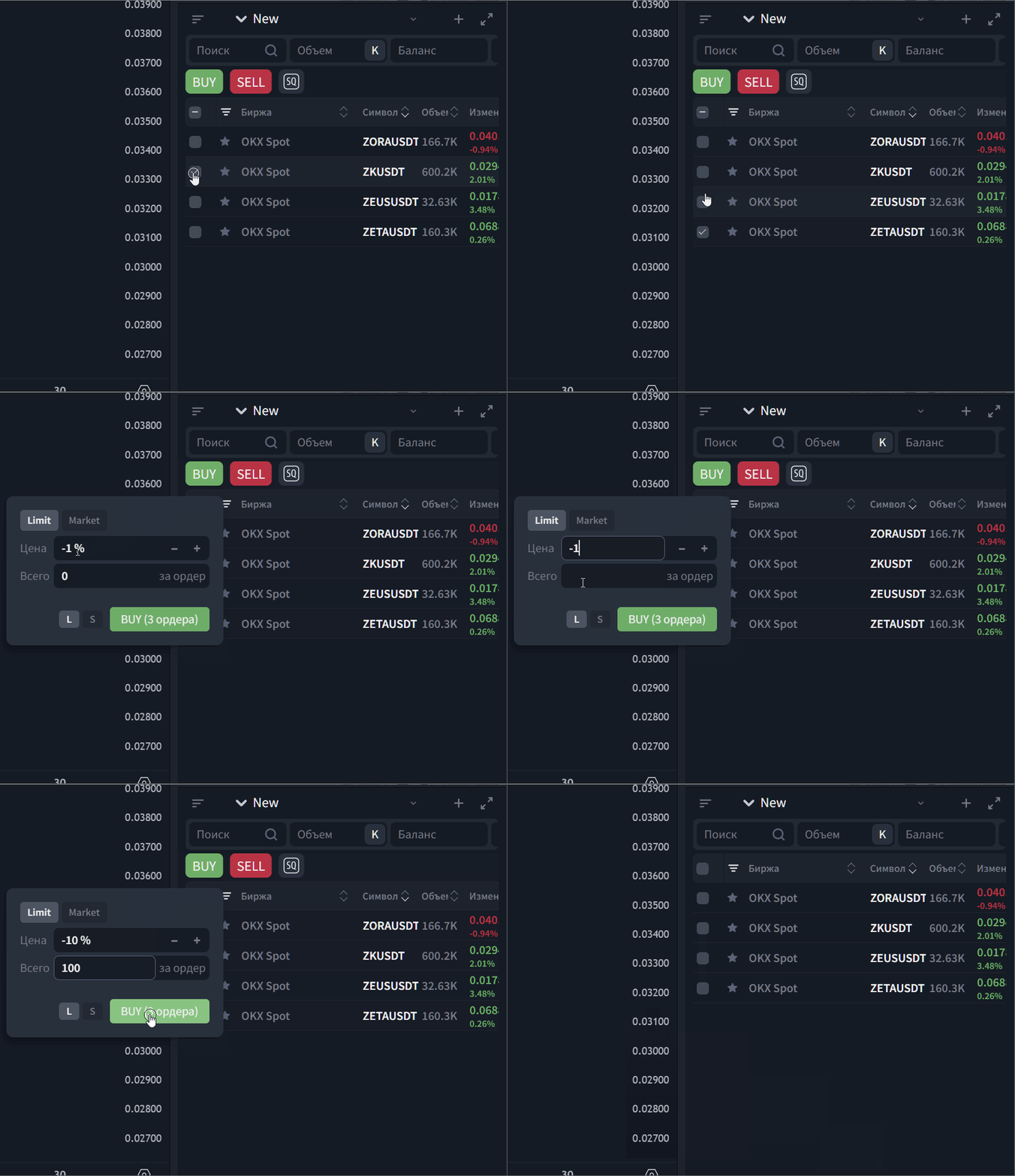
2) Bulk operations
Bulk order creation using watchlists
Bulk order cancellation
Bulk actions for open positions (fast exposure reduction/closing)
3) Position management with tags
Assign tags to positions
Filter positions by tags
Group positions by tags in separate windows/groups
(useful for separating logic like: “portfolio”, “scalp”, “news”, “high risk”, etc.)
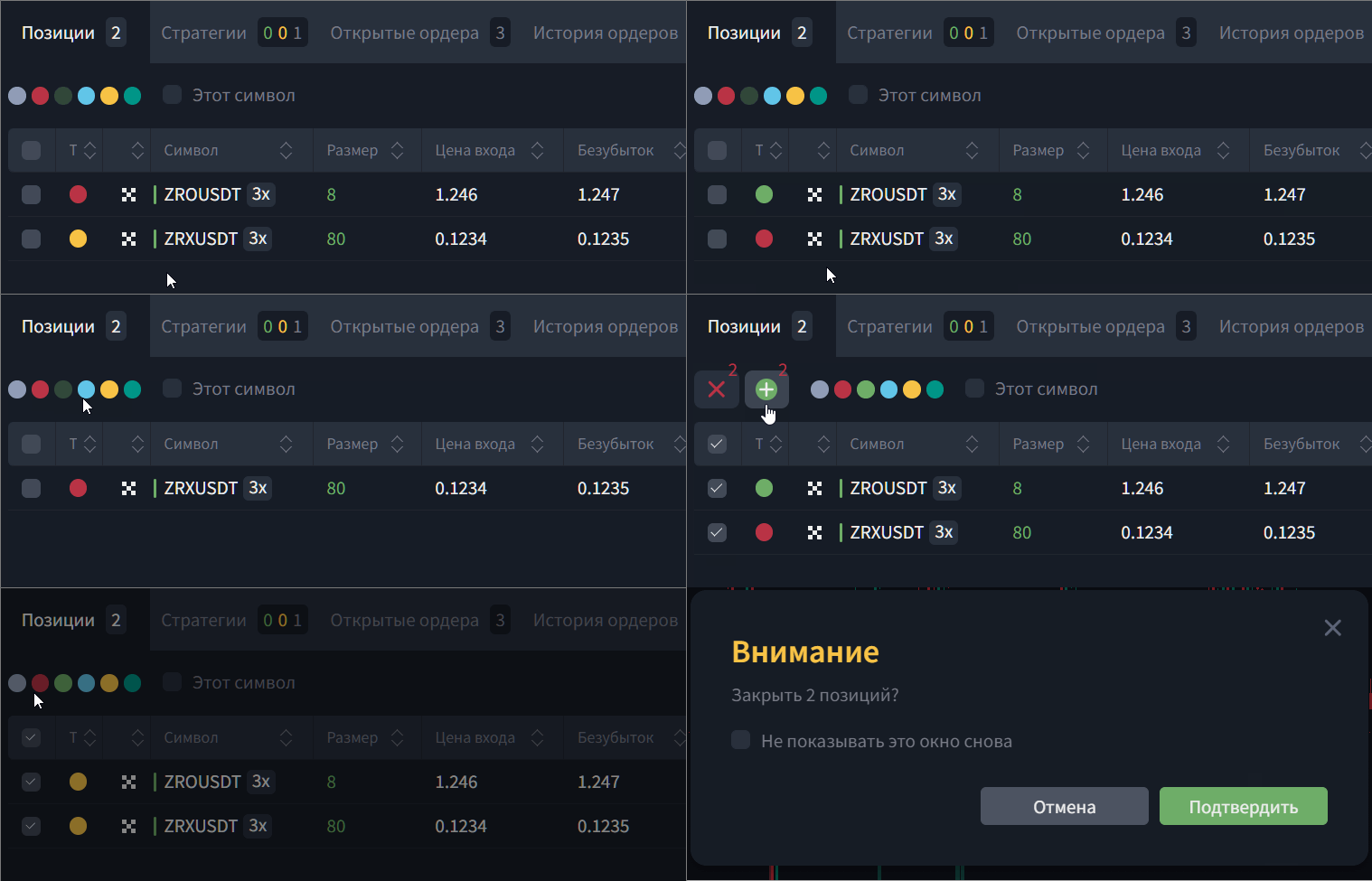
4) Integration with strategies (optional)
Mass creation of Squeeze strategies
Use asset lists as a base for semi-automated workflows
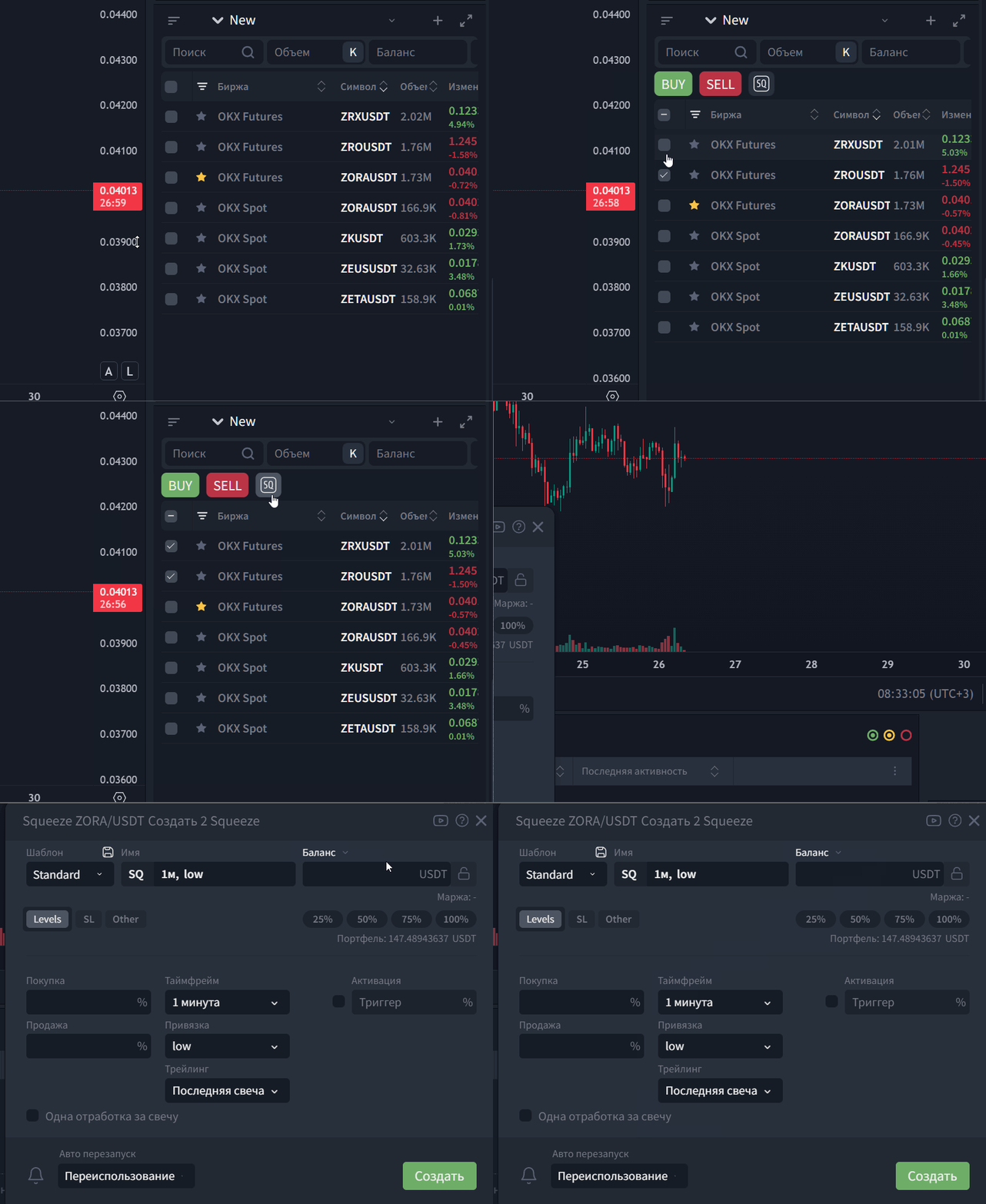
Important: Bulk Trading can be used without strategies. Integration is an extra option for users who combine manual trading with automation.
5) Watchlist
Increased number of watchlists
Use watchlists as a source for trading actions (bulk operations by list)
What it’s best for
Bulk module is especially useful if you:
trade multiple assets at the same time (portfolio/basket);
work in a desk-style workflow (fast and frequent manual actions);
want to reduce time spent on repetitive operations;
react quickly to market events without launching strategies.
Typical use cases
Simultaneous entry into positions across a group of assets
Fast exposure reduction or closing across a group of coins
Portfolio management via logical groups and tags
Desk-style manual multi-asset trading
Fast bulk actions during volatility/news without launching strategies
Use in Custom plans
Included by default in Bulk Trading Plan
Available as an add-on in Strategy Trading Plan
Bulk Trading vs Strategy Trading — what’s the difference
Bulk Trading Module is about manual and semi-automated management of many assets: lists, bulk orders, tags, and portfolio operations.
Strategy Trading Module is about full automation and algorithmic execution through strategies.
Both modules can be used together within one Custom license: Bulk covers “desk operations”, while strategies cover systematic automated trading.
Navigation
When B2C is enough vs when you need Custom (link)
From B2C to Custom: how to activate an individual plan (link)
Upgrade and switching between plans: what is kept and what changes (link)
Was this article helpful?
That’s Great!
Thank you for your feedback
Sorry! We couldn't be helpful
Thank you for your feedback
Feedback sent
We appreciate your effort and will try to fix the article
Ready to try it live?
Everything in this guide works in the LEXX terminal — exchange API connections, trading strategies and automation.
Open the terminal About LEXX Platform